Duplication Centre

CD, DVD, Blu-ray duplication

01702 530 354

24 Hour Turnaround

Archive for the ‘Helping You Decide’ Category

Different kinds of CD and DVD cases

Monday, January 4th, 2010

There are lots of different CD and DVD cases

Nowadays, when issuing a CD or DVD onto the consumer market, it has become almost as important what the disc looks like and how it is packaged as to what its actual contents are. That is why it is so important to choose the right CD or DVD packaging for your product! And as the market is flooded with so many different kinds of CD and DVD cases you would be forgiven for getting confused or finding it hard to make a decision. This article is here to help! In it, I shall discuss the various most common types of CD and DVD case, their pros and cons and any particularly distinctive features each one could offer, helping you make up your mind on how you want your CD or DVD to look.

Though there is some crossover between CD and DVD cases but mostly they are quite different: CD cases tend to be smaller, designed to be almost the exact size of the disc itself. However, DVD cases tend to be the size of a thin, A5 book to accommodate extra booklets and information. I shall start by explaining the main types of CD case before going on to DVD cases.

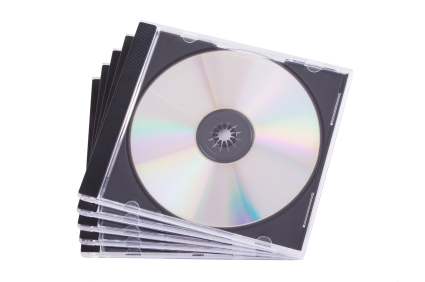
The most common kind of CD case is the Jewel Case, so named because their creator, somewhat romantically, said they picked up the light like jewels. These cases are made from transparent plastic, comprised of a lid supported by two arms, in turn attached to the base. The base is made from the remaining two pieces, one is plain and forms the back of the case, the other suspends the CD, holding onto it with small teeth which grip the central hole of the disc. With these cases, there is a lot of scope for CD artwork and information: It can be in an insert or booklet slid into the front cover and held there by four or six small plastic teeth and also on an insert in the back, between the two components, which makes it very aesthetically pleasing. Not only that, but they will also protect the CD for much longer than some of the other, flimsier cases, thus being ideal for use in the music or film industry. There are also variations on the case, making it double thickness with extra hinged trays, so it can carry two, four or even six CDs. To add to this, so long as the inlays are all in place, the disc is almost completely protected from UV damage!

So, these cases are pretty, versatile and generally resilient: What is the problem? Well, the smaller parts (the teeth and arms) are liable to snapping which can render the holder useless. Aside from this, the cases are environmentally quite unfriendly as they are difficult to recycle and their creation produces lots of carbon dioxide and toxic fumes. They are also quite bulky and can cost quite a lot in comparison to some other cases. There have been some attempts to address these issues: Some cases have been fitted with tougher, black plastic backs to strengthen the case, but this is less aesthetically pleasing than the clear backs with artwork. Also, some cases have been made slimline, with only one component making the back, but again this compromises on aesthetics because the backing artwork is eliminated.

By far the most space saving case for single CDs is the simple ‘sleeve’. These sleeves are made from either a thin, flimsy plastic known in the business as ‘tyvek’ or out of paper or card. The tyvek sleeves will protect the disc from water and other spillages where the paper ones won’t. But the paper sleeves are very environmentally friendly; recyclable and also able to be made from re-used components. However, in both cases, the sleeves are not strong and don’t serve to stop the CD from snapping or getting crushed and while the paper sleeves protect from UV damage, the plastic ones, unless they have inlays, are next to useless for this! So, perhaps not the best long term solution! However, in the short term, attractive inlays can be inserted into the plastic sleeves either side of the disc, while the paper sleeves are very printable and can even be laminated for a more professional finish.

In keeping with the theme of paper sleeves, cases made from card are becoming increasingly popular. The market is full of new an innovative ways to display your CD in ever more eco-friendly packaging; from the highly acclaimed and regularly used DigiPack, which boasts only one component of plastic, to the origami-like Jake Case which is impressively folded around the disc to create an original and very aesthetically pleasing look. There is even the environmentally friendly WowWallet which is entirely made from FSC approved paper and cardboard. While these paper and card cases are ethically very sound and have every surface available for artwork and design, they are still less resilient than the plastic cases. They are susceptible to spillages, with the slight exception of the laminated DigiPak, and can be torn and battered. For this reason, they are more often used for advertisement or demo discs rather than a long term product which a consumer is paying for.

Going ever more green, the most eco-friendly of the CD cases is the Soft or Green Case. These are made from the recycled discs themselves and are known for their opaque quality. However, because of this opaqueness, artwork is reduced to a minimum, and they are also not very good protection against the disc snapping as the CD cases can easily be bent back on themselves.

A Table Demonstrating the Different Types of CD and DVD Case

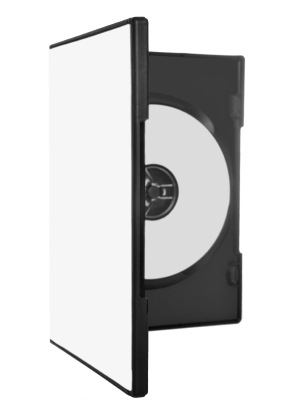
Moving on to DVD cases, these are mainly being kept to book-sized plastic boxes called Keep Cases at the moment, which are akin to Jewel Cases, but have only one component on the back and are usually made from black plastic, though sometimes it is also clear or, very rarely, blue. A thin clear plastic cover allows for a colourful cover to be inserted on the outside and inside, two teeth make a holder for an information booklet. These are by far the most popular cases as, like the Jewel Case, they are resilient and leave plenty of options for artwork. Sets of DVDs are also released in Box Sets, storing two or more Keep Cases together in a cardboard box. However, the Keep Cases are quite expensive, thus it has not been unknown, especially in the advertising world, to use Tyvek or paper sleeves to distribute DVDs.

When it comes to bulk packaging, CDs and DVDs are very similar, coming mainly in Cake Boxes. A Cake Box piles discs one on top of the other on a spindle, with one large cylindrical plastic cover to protect them all. However some of the cheaper CDs can also come in Blister Packs, like pharmaceutical pills, or shrink wrapped in plastic. Normally only blank discs are sold in this manner and it is advisable in these cases to at least buy sleeves to protect your discs once you have burnt onto them.

Of course this is a vast generalisation on the different kinds of CD and DVD case available – there are always exceptions to the rule, for example many special limited edition or anniversary albums or films are brought out in unique cases which are made from metal or even wood. Some albums are released with pop-up artwork and some advertisement discs have oddly shaped booklets to try and draw attention to them. While these are all excellent marketing ideas, they do come at a hefty price and I would advise only going down the specialist route if you know it will be worth it for you in the log run – whether for profit or artistic achievement!

I hope this article has proved useful and helped you to make your mind up about which CD case is best suited to your needs, whether they be to produce an attractive product, create a long term data storage device or simply learn which case would be most kind to the planet!
Differences between disc printing methods – which one is right for you?

Monday, January 4th, 2010

It can be difficult to decide which CD printing method you want to use

It is very important to have labels on your CDs: This is not only so other people know which way up it is supposed to go into the machine, but also for a beautiful and professional-looking product. But the problem is, there are lots of different ways of disc printing so deciding which one is most suitable to your needs can be tricky! This article is aimed at helping you to figure out which one you want to use!

To start, there are four main techniques for printing CD labels: Lithographic, or offset, printing; thermal transfer printing; silkscreen printing; and inkjet printing. Each one has it own pros and cons.

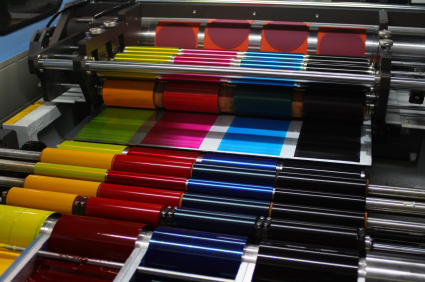
Lithographic CD printing, or offset printing, involves putting your CD artwork onto a processing plate either through simply printing it from a computer or using photographic negatives and a chemical treatment. The plate is then ‘offset’, or imposed, onto a rubber blanket cylinder which applies it to the surface of the CD or DVD. This process looks incredibly good, and allows for high-quality photographic images and small text to be printed onto your CD. However disc printing in this way is only avaliable if you are replicating rather than duplicating discs as it is part of a whole manufacturing process. It can take up to ten days for the entire process to complete, thus is much less speedy than other printing methods. It is, however, a very good printing option if you need more than 1,000 discs to be made as large batches of discs are usually replicated anyway to save money. But, even taking this into account, Lithographic printing is not the cheapest option by any means.

A Table Showing the Different Methods for Printing CD Labels

When it comes to thermal transfer disc printing, each colour is placed separately onto a transfer ribbon which is then applied beneath a heated print-head. It seals the disc so that the label is waterproof and smudge free. Because the

images are taken directly from a computer, the process is very fast. It is cost-effective in small runs and also looks very good – the print quality is even better than with lithograph disc printing! (This is not to be confused with thermal printing which uses basically the same technique but can use only one colour and is slightly less precise in finish – though it is even faster and cheaper!) Both thermal and thermal transfer printing do not allow you to print right up to the edge of the disc and thermal transfer printing will quite often have to have a white base to print the other colours on top of.

Next, silkscreen printing, or simply ‘screen’ printing, allows disc printing by passing ink through a monofiliment screen. Each colour is put on separately, a different film acting as a stencil over the screen each time. This technique, while by far the cheapest for large runs of disc printing, can leave a grainy effect around colour gradients and text. Nevertheless it is perfectly acceptable for simple designs which use only a few colours. Be warned that the more colours you use with this technique, the less the quality of the image will be!

Lastly, using inkjet printing you can achieve a very high quality finish. This process involves simply printing straight onto a specially prepared disc, then covering it with a UV-resistant laquer so the image will not fade or get scratched. This is a very good method of printing, however it does tend to be pricier for large runs of disc printing, as the price is fixed and does not drop the larger the order becomes. In this way, it can be more economical to is silkscreen or lithographic printing methods.

I hope that this article has helped you make up your mind which printing method is right for your needs and good luck with your disc printing! Remember, if you can stretch the budget, it’s better to have a good-looking disc as it will attract more attention and consumers will like it better!

What can you use the media on a CD for?

Monday, January 4th, 2010

There are hundreds of uses for CD media!

Since it’s invention, the CD has had manifold uses in everyday life. And yet people are constantly becoming more and more innovative with the ways in which discs can be used. It is straightforward knowledge that CDs are used for storing files such as music, video and powerpoint software but how the media itself is being distributed is constantly changing and there are lots of new ideas that are always coming to light.

For some years now, CD media has been used for advertising – we are all familiar with the AOL software demos which come through our letter boxes! Aside from these software demonstrations, CDs can also advertise through an interactive package which draws the consumer in, or for bands who want to release a few demo songs to increase their fan base. CD media can also advertise through short films, this last being especially useful for fundraising, particularly for charities: Nothing will make someone want to help more than seeing the heart-wrenching images of a starving child or an interview with a war refugee! Here, widely distributing a short film on the issue at stake is likely to raise a lot more money than simply reading about it in the papers.

But there’s the real clincher: The high compatibility of CD media makes it very suitable to wide distribution among the general public. It is rare indeed to find a household which does not have a computer or stereo system which will run CDs thus it is pretty much guaranteed that all your customers will be able to view the information sent out.

This factor, combined with the excessively easy portability of CD media, has also lead to CDs being handed out in schools. Recordings of lectures, whole terms of work-packs and copies of specially-licenced software are regularly given out to thousands of students. Students can also take their assignments to and from school or university on CD, the wonderful rewritable nature of CD media only moving to assist this purpose. CD media can also be an invaluable learning tool in itself: Many students and adults alike use CDs to learn languages or listen to audio-books.

In the work place, too, CDs create a remote storage back-up system, archives and video or audio recordings of conferences and meetings. Similarly, archives of CCTV are also often kept on CD. Apart from keeping records, many people are now promoting their businesses with miniature CD business cards, which can contain anything from links to websites to interactive features, music, adverts or simply contact information. As you can see, CD media has endless uses.

But amongst these more serious uses, because CD media is so portable and also relatively inexpensive to create, discs are often being given out as free gifts. Not only in magazines and newspapers do we see free films or compilation albums being given away, but even with some books, too! These discs, however, are not simply presents but are another clever form of advertising as someone is much more likely to buy a product if a ‘free’ gift comes with it!

CDs are constantly being given as genuine gifts, too, not only shop bought CDs containing music or films, but also as compilation CDs, with music personal to you and the recipient, making the present poignant and more meaningful. The same idea applies to giving short home movies as gifts or audio recordings of loved ones. These, too, can be sent across the world in nothing more than an envelope, so they make excellent presents for friends and family who are far away!

Strangely enough, people have even started giving CDs out as party favours: Because data can be put onto a CD very quickly, one can copy a CD with images of the party on while the event is still going on, so the guests have a memento of the special occasion. These favours have been known to come from weddings, birthday parties, even just nights out which are especially good fun! CDs have even been known to be given as prizes, a special edition CD makes an excellent reward, or perhaps a good music CD. Special edition CDs can also be a very good advertising tool, making people buy not only the original disk, but that one, too!

So you can see that CDs have a multitude of purposes, and CD media is one of the most useful tools at our disposal, not only in the workplace and at school, but also as a form of advertisement and as a cunning hook to get customers interested in your product. Aside from this they can also make personal, fun gifts with films, music, games and photos. It is perhaps this adaptability and variation, alongside CDs high compatibility, inexpensiveness and portability, which makes CD media so popular in the world today.

Which CD Type Should You be Using?

Wednesday, November 18th, 2009

It can be tricky to find the right CD

Since the development of the simple Compact Disc, so many other formats have become available it can be very confusing to know which ones are the best to use!  Hopefully, this little guide will go some way in helping you make your mind up which one is most suited to your needs!

When considering which CD to choose, there are several factors to take into account, for instance the lifespan of the disc, which CD readers can use it, whether it will work with your recorder, the memory size and whether or not it is best suited to the job you need it to do.

The main types of CD in use are:   CD, CD-R, CD-RW, DVD, DVD-R, DVD-RW and DVD-RAM.  It is worth bearing in mind that each disc will have certain unviewable information already written onto it which will tell computers and CD players what kind of disc it is.  Unfortunately, this unseen data cannot be changed.

Here is a guide to the main types of CD, the pros and cons to each, and the jobs they are most suited to:

A General Note on CDs: Due to their limited memory, it is advised not to use CDs for games or video, as these take up a great amount of room and are very complex files to store on such a small device.  You would be better off using DVDs in this instance.

CD  (Also known as CD-DA or CD-ROM)
Lifespan: 50-200 years
Memory: Up to 700 Mb (80 minutes)
Recording Speed:  N/A
Cost: More expensive than the home CD duplication, but you pay for a professional looking product.  If you want more than 500 copies of a disc it is cheaper than CD-R/-RW.  Cost varies significantly depending on the company being used.  I recommend Duplication Centre UK.
Players which can read it: All
Players which can record onto it: Only professional machines can do this kind of CD duplication.
Re-Record? No.
Functions: Professionally pressed CD’s which contain music files to be played on computers or CD Audio Players.  Best used for band disks, promotional music, audio-information (for instance recorded speeches or radio play samples).  Due to having a long life span they are very good for professional release as well.  Because they are made using a Glass Master and pressing machines, you will need a replication company such as Replication Centre UK to produce them for you!
Quality Notes: Quality is guaranteed if a professional company is used.  These are very difficult to create without the correct machinery for CD duplication.
Other notes: —

CD-R
Lifespan: 50-100 years if stored in a cool, dark place.
Memory: Typically 700Mb (80 minutes)
Recording Speed:  Fast.  The fastest out of all of the discs suitable for home CD Duplication, they can be burned in under two minutes each.
Cheaper than CD-ROMs if you want under 500 copies.  You can get professional companies to produce them for you, and I recommend Duplication Centre UK.
Players which can read it:  Most.  Some in-car players will not play them and also some of the older CD Audio Players.
Players which can burn it: All players with CD-R or CD-RW duplicators can record them.
Re-Record? No.
Functions: These discs are generally used to store music, not because they can’t store other data – they can:  Photos, small video clips, word documents, etc. – but because information is permanently placed on them, they tend not to be used for backing up files or anything else which needs only short-term storage. However, their life expectancy is not as long and they are more susceptible to damage from heat and sunshine exposure.  However they are faster to produce than CD-ROMs, which need a Glass Master copy of the CD which takes time to produce.
Quality Notes: Quality varies greatly depending on the company who produced the blank CD-Rs in the first instance.  It is generally recommended to go with a recognised brand who will be forced by law to stick to the standard guidelines for quality.

CD-RW
Lifespan: 20-100 years
Memory: Typically 700 Mb (80 minutes)
Recording Speed: Medium.  They are not as fast as CD-Rs but not as slow as DVDs at between 3-4 minutes per disk.

Players which can read it:  Mainly only computers and some CD Audio Players.  However compatibility with Audio Players does go up if the CD is recorded all at once rather than in lots of segments.
Players which can burn it: Only drives with the CD-RW recording capacity.
Re-Record? Yes.  Up to 1000 times.
Functions:  These disks, though slightly more expensive than the CD-R, can be re-recorded onto which is a great plus.  They are generally used for storage of data files such as photos, short films, word, excel or powerpoint documents, music which is still being edited, etc.  They are also generally used for backing up files as, when the back up needs to happen again, you can record the information over the top of the old back up on the same disc!  They can also perform the same uses as CD-Rs but are often not used for these because of the price difference and CD-RW’s incompatibility with most Audio Players.
Quality Notes: Quality varies greatly depending on the company who produced the blank CD-RWs in the first instance.  It is generally recommended to go with a recognised brand who will be forced by law to stick to the standard guidelines for quality.
Other Notes: Environmentally, they are more sound than the CD-R because there is less waste – any old disks can simply be re-recorded whereas with CD-R they must be thrown out!

A table to help show the differences between types of CD

A general note on DVDs: It is advised, due to their cost, that DVD’s be used almost exclusively for films or games.  Unless you wish to transport very large files, it is much more economical to use CDs.

DVD (Also known as DVD-ROM)
Lifespan: 30-100 years
Memory: Up to 4.7 Gb.  Typically can hold up to 2 hours of video on standard SP (short play) setting
Recording Speed: N/A
Cost: More expensive than home DVD Duplication but, again, you pay for a professional finish and quality.  Also the price will vary depending on which company you use.  I would recommend Replication Centre UK.
Players which can read it: All DVD Players.  (If you are copying a game, only certain gaming equipment will be able to use that file, depending on how you have developed the game.)
Players which can burn it: They are nearly always professionally produced due to the machinery required to create them.
Re-Record? No.
Functions: DVDs are primarily used for storing film or gaming data.  It is not advised to use them for storing non-professional data as home DVD-RW duplication is much more economical in this case.  However, they can be used for advertising films, full length films and games of every sort (for computer, xbox, PS3, etc.).  They are also used for any film/game which needs to be distributed amongst a large audience as they do not have the drawbacks or DVD+/-R with wheather or not equipment can read them.  Many things which are put onto DVD-ROMs are ordered in bulk, as it saves time to get someone else to do the job for you!
Quality Notes: Because it is professionally done, the quality is guaranteed.
Other Notes: —

DVD-R and DVD+R
Lifespan: 30-100 years
Memory: 4.7 Gb.  Typically can hold up to 2 hours of video on standard SP (short play) setting
Recording Speed: Slow.  Definitely slower than any CD:  At between 3-10 minutes depending on the speed of you drive, DVD-/+R duplication is time consuming.
Cost: A little more than a CD.
Players which can read it:  This is a little complicated:  DVD-R and DVD+R while being essentially the same thing can only be read by equipment which supports them respectively:  DVD-R can only be used with equipment which supports DVD-R disks and DVD+R with equipment that supports DVD+R disks.  Nearly all players nowadays are DVD-R compatible.
Players which can burn it:  DVD-R can only be used with equipment which supports DVD-R disks and DVD+R with equipment that supports DVD+R disks.
Re-Record?  Not for DVD-R but DVD+R things can be added later as it is still accessible.  This does NOT make it re-writable as data cannot be deleted from it.
Functions: These are generally used for home-videos, prototype game designs,adverts, films still in the editing stage – basically files which are enormous, complex and doesn’t need to look entirely professional.  Also, these disks don’t tend to be used for things which must be produced in bulk as it would be a time consuming DVD duplication process.
Quality Notes: Quality varies greatly depending on the company who produced the blank DVDs in the first instance.  It is generally recommended to go with a recognised brand who will be forced by law to stick to the standard guidelines for quality.
Other Notes: —

DVD-RW and DVD+RW
Lifespan: Up to 30 years.  Less all other discs except DVD-RAM.
Memory: 4.7 Gb.  Typically can hold up to 2 hours of video on standard SP (short play) setting.
Recording Speed: Slow.  Definitely slower than any CD at between 3-10 minutes depending on the speed of you drive, DVD-RAM duplication is time consuming.
Cost: A little more than a CD.
Players which can read it:  The same rules apply as with DVD+/-R:  DVD-RW can only be used with equipment which supports DVD-RW disks and DVD+RW with equipment that supports DVD+RW disks.
Players which can burn it:  DVD-RW can only be used with equipment which supports DVD-RW disks and DVD+RW with equipment that supports DVD+RW disks.
Re-Record? Yes.
Functions: These are generally used for films or games which are still in the editing process or other large files which need editing, saving or backing up.  They can be used to back up much larger systems than CD’s.  Not used so much for long-term storage due to their shorter life span.
Quality Notes: Quality varies greatly depending on the company who produced the blank DVD+/-RWs in the first instance.  It is generally recommended to go with a recognised brand who will be forced by law to stick to the standard guidelines for quality.
Other Notes: Environmentally, they are more sound than the DVD-R because there is less waste – any old disks can simply be re-recorded whereas with DVD+/-RW they must be thrown out!

DVD-RAM
Lifespan: Up to 30 years.
Memory: 4.7 Gb.  Typically can hold up to 2 hours of video on standard SP (short play) setting.
Recording Speed: Slow.  Definitely slower than any CD at between 3-10 minutes depending on the speed of you drive, DVD-RAM duplication is time consuming.
Cost: A little more than a CD at between 25-30p per disk.
Players which can read it:  Most DVD Players and DVD drives in computers.
Players which can burn it:  All DVD recording devices will be able to burn DVD-RAM disks as they are the oldest and easiest of the disks to use.
Re-Record? Yes – up to a whopping 100,000 times!
Functions: These are generally used for films or games which are still in the editing process or other large files which need editing, saving or backing up.  They can be used to back up much larger systems than CD’s.  Not used so much for long-term storage due to their shorter life span.  Due to the massive amount of times they can be re-written they are almost certainly useable for re-writing for their entire life-span!
Quality Notes: Quality varies greatly depending on the company who produced the blank DVD-RAMs in the first instance.  It is generally recommended to go with a recognised brand who will be forced by law to stick to the standard guidelines for quality.
Other Notes: —

I hope this helps you make your mind up on which type of CD best suits your needs!

Duplication Centre Resource Centre is proudly powered by WordPress | Entries (RSS) | Comments (RSS) | 27 queries. 0.029 seconds.