Duplication Centre

CD, DVD, Blu-ray duplication

01702 530 354

24 Hour Turnaround

Duplication Centre Resource Centre

Information for all your media duplication and replication needs

DVD Wallets / DVD Sleeves

March 1st, 2012

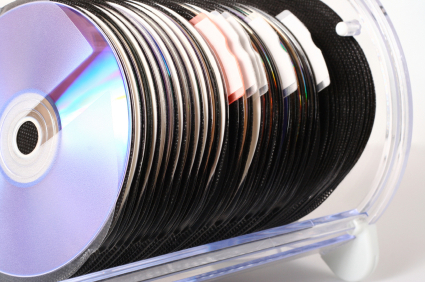
Also known as DVD Wallets, DVD sleeves are the best solution to distributing your DVDs quickly and inexpensively. DVD Wallets are an easy, low cost, and “light” method of packing discs.

  • Simplest packaging method for discs
  • Scratch Resistant Protects From Dust, Scratches, Sun
  • Takes up less storage space
  • Ideal for promotional discs, low cost applications, or where you wish to achieve a minimalist feel with your discs.

Why choose a DVD Sleeves to pack your DVD?

It wouldn’t appear to be the most obvious choice of packaging for DVD’s, however a cost effective choice is the DVD Wallet or DVD Sleeve with a tuck in flat. Often used with a booklet on short runs and is more cost effective than a card wallet.

All our DVD wallets are excellent 120 micron. Guaranteed that the DVD does NOT split when you put your disc into them.

The regular DVD Wallet is a 13 cm square shape, 120gsm is the most popular and gives DVD package more of a quality feel.

Cost Effective Promotion

Plastic wallets are a cost effective way of promoting your DVDs.

The DVD Plastic Sleeve with a flap and 2 strips of self-adhesive tape on the back, enables you to attach the CD or DVD pack to a magazine or brochure.

Specifications

  • Quality 120 micron.
  • 127x165mm
  • Smooth edges
  • Protects your CD from scratches

M-Disc: the DVD made out of stone that lasts 1,000 years

February 7th, 2012

There have been times when we’ve all wished that we’d made a second backup, or kept our optical discs out of the sun — but we haven’t, and the data is lost. But what if you had a backup medium that was near indestructible, almost immune to extreme conditions, and made of stone?

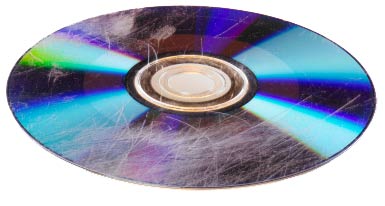
Introducing, the Millenniata M-Disc; a 4.7GB DVD with a data layer made out of stone-like metals and metalloids.  Whereas a conventional home-made optical disc has a very soft recording/data layer that isn’t very resistant to heat, humidity and light and has an average lifespan of around 5-10 years, the M-Disc has a much tougher data layer that can withstand the test of time.

According to Millenniata and the US Department of Defense, the M-Disc is incredibly resilient. In a test, 25 different discs, including the M-Disc, were exposed to 85C (185F) temperatures, 85% humidity, and bright, full-spectrum light for 24 hours. Where every other recordable DVD failed the test with thousands of read errors and complete loss of data, the M-Disc passed with full data integrity and just a handful of errors.

Millenniata claims that the stone layer of its DVDs should retain data for over 10,000 years — however the polycarbonate coating is only good for 1,000 years. Either way, both figures exceed the 5-10 year average lifespan of hard drives, recordable DVDs, and flash drives.

On the down side M-Discs can’t be burnt with your current DVD burner —the melting stone requires a laser that’s five times stronger than normal! However, M-Discs are backwards compatible and can be read by normal DVD drives. Nonetheless, at around $7 per disk, the M-Disc is incredibly expensive for just 4.7GB of storage.

Furthermore, if you were to use M-Discs as your primary backup medium, you would need vast amounts of space to store the discs. To back up just 10 terabytes, you would need 2,130 M-Discs, which would occupy about the same space as 10 hard drives.

M-Disc; stone age technology for the future? With such rapid development in technology, will we even have access to an antique DVD player in a 1,000 years’ time?

Duplication for Pleasure as well as Business

December 31st, 2011

You want to have copies of your respective favourite movie or songs and give them away to relatives and friends for special events? Or record your entire collection of favourite love songs and distribute DVDs as the wedding giveaways?

DVD duplication is the answer for a cheaper and different give-away, either for weddings, bar mitzvahs,birthdays, or another memorable occasion.

What does DVD duplication mean to me?

DVD duplication is the act of reproducing optical media through copying. It generally means producing discs in small quantities. The information from the DVD disc is duplicated onto an existing recordable DVD. With all the advent and popular usage of cheaper media, it’s now possible to get the same degree of DVD duplication services to customers who need small as well as larger quantities.

DVD duplication has both cost and quality advantages. Utilizing DVD duplication is a fast, cheap, and convenient way to get products to its intended market. Companies such as Duplication Centre offer the fastest result with a 24 turnaround, which is especially important if your business involves producing music and video products, and you need to reach your intended market quickly and effectively.

Alternatively, replication could be the standard used when creating ahigh volume of copied discs. Once the initial glass master copy is made the replication process is fully automated and the cost per unit will be less.  Try our sister companyReplication Centre for this service.

So here we have outlined a few reasons to use CD/DVD duplication and replication, not only for your business but for your personal life too.

Audio Mastering to Red Book Specifications

December 13th, 2011

Red Book specification as outlined by Philips, ensures that audio CD playback is compatible in all CD players. In many ways it is essential that an audio master CD is burnt to Red Book standards. If a master is not red book compliant any duplicated or replicated discs may not playback reliably on all CD players, especially those that were manufactured before CD-R became popular.

For example, duration of the audio is importance. Although most CD-R’s that are widely available can store 80mins of audio, Red book standards specify a maximum duration of 74min 44secs. In order to ensure that any duplicated or replicated CD plays reliably on all CD players, it is wise that the master CD or pre-master CD (PMCD) never exceeds this specification. Therefore correct PMCD pre-mastering is essential for successful CD duplication and CD replication of audio CDs.

Pre-mastering involves compiling audio tracks onto a playlist, and programming the correct PQ codes. PQ codes are the table of contents, as well as timing information of tracks including start, end, duration, pause and offsets. Other information such as ISRC codes, CD text and product codes can also be added at the pre-mastering stage.

An increasing number of CD players have an integrated CD text facility which display information such as artist name, album name and track titles. If a CD has this information added at the pre-mastering stage then any CD text compatible  audio players will display this information. Many CD burning applications now automatically burn CD text from the names of the audio tracks in your playlist.  As these names may appear on your CD copies as CD text, it is important to name the audio tracks accordingly, and not use working names or abbreviations.

Before having your music CD copied by CD Duplication or CD Replication it is advisable to produce a red book compliant pre master CD or PMCD. If you do not have a PQ printout with your master then it probably isn’t a red book standard. If you are unsure whether your master has been burnt to red book standard it is advisable you contact a company who provide this service for help and advice.

New Era in DVD technology – a disk that can store 1.6TB

November 3rd, 2011

CD and DVD technology has moved on quite a bit from when the first compact disc was produced nearly 30 years ago in a factory in Germany after years of development by Philips and Sony.

In May of 1994, Sony and Philips announced that they would be cooperatively developing a new high-density medium known popularly as Digital Video Disk. The DVD; a disk the same size as a CD but with five to ten times the data capacity. This infant technology was to be the successor to compact disks (CD-ROM) for computers, and replace VHS tapes and laserdiscs in the entertainment industry.

Then in 2006 came the Blu-ray revolution. The format was developed to enable recording, rewriting and playback of high-definition video (HD), as well as storing large amounts of data, five times more then traditional DVDs

Now it seems there is a DVD being developed based on Nano Technology.

Currently, Blue-ray dual-layer disks that hold 50GB are not even close to projected capacity of these ultra DVDs. Researchers at Australia, have developed a new DVD technology that could possibly boost disc capacity by 10,000 times beyond today’s standard 4.7GB DVDs, according to a study published in the journal Nature.  Researchers have already designed a five dimensional DVD that can store 1.6 TB of data on a standard size DVD. That is as much as 30 Blue-ray disks!  Even a 1TB disc created with the technology would provide enough capacity to hold 300 feature length films or 250,000 songs.

Unlike normal DVDs that have two layers of stacked data, these disk have an additional 3 layers- one data & two for reading wave length & polarization. The layers are made of thin glass films and are coated with gold nano rods of three different sizes. To record data on the disc a laser is focused on the nano rods. Each nano rod melts at different wavelengths into spheres.

The challenge is that since the data is so densely packed, reading it at high speeds will pose a problem.  At the moment a very large and expensive titanium-sapphire femto-second laser is being used in the study. A cheaper laser will have to be developed.

The researches are currently working with Samsung to make the technology commercially viable but this could take anywhere between 5 to 10 years.

Going Greener?

September 12th, 2011

Going Greener CD and DVD DuplicationIt’s 2011 and little is being done for this planet on which we live! Remember the ‘green’ revolution that started before the financial crisis? And as the situation seems now, it looks as though little, or indeed nothing has really been done in the DVD business.
Well, maybe that’s not quite true! There have been a few companies out there who have invented new technologies and products like the EcoDisc a carbon light DVD and FSC paper. However little has been done to implement these and other technologies on a large scale.
On a more positive note, the DVD/Blu-Ray industry has managed to go a little greener.  A few years ago, in the US, Walmart asked one of its DVD suppliers — 20th Century Fox — to be a part of a pilot for a carbon reduction project. They made simple changes to make DVD packaging lighter, which in effect cut energy use by 28%. This reduced the lifecycle carbon emissions of these DVDs by about 25,000 tons. It had a big multiplier effect, too, because the lighter packages were also used on DVDs sold at stores other than Walmart.  The change also evolved from movies to video games and software too. Small change — big cumulative effect.
The environmental impact of the manufacturing industry is not only down to the big companies.
When choosing CD/DVD/Blue-ray duplication, consider the environment. The least negative impact your final product or promotional material has the greater support you offer the environment. When and where possible use the least amount of packaging. Ask yourself does the disc need to be in a plastic box or will a cardboard wallet as offer by companies such as Duplication Centre be a better eco-friendly option. Not only does it take up less space, it uses fewer resources to produce and transport and can naturally biodegrade when no longer needed, meaning less to go in land fill.
The environmental impact CD/DVD/Blue-ray duplication has is in all our hands. There are many things businesses small and large can do and if put in place wisely, will further help reduce the carbon footprint (considerably). Let’s remember it’s all cumulative.

Dual Layer DVD Recording

September 12th, 2011

Dual Layer DVD RecordingHave you ever wondered how a full length feature movie plus bonus material fits onto a single DVD Disc? The answer is dual layer DVD technology and you may be surprised to know that this is not new technology we are talking about. Hollywood has been producing major motions pictures on stamped dual layer DVD Discs for years.
We are now witnessing the rise of recordable dual layer DVD technology on the consumer market. A look at the technology could explain this progression.
Dual layer or double layer DVD, also referred to as a DVD-9 disc, appears to be a natural progression of single layer 4.7GB recordable technology. For starters a DVD-9 disc offers up to four hours of high quality MPEG-2 video, or up to 8.5GB of data on a single-sided disc. This mean you can pack up to 12 CD’s worth of information on to one disc. Thanks to the additional layer of recordable space you can store approximately 2,000 songs in MP3 format or up to 17,000 high quality JPEG images.

In a dual layer DVD-9 disc, two individual recordable layers, like the one found on a standard single/ DVD-5 disc, are joined together with a transparent spacer and a thin metal reflector between the two.  The bottom layer is written and read in exactly the same manner as a standard DVD-5.  The difference with a DVD-9 is that the laser now focuses a fraction of a millimetre beyond the first recording layer, giving access to the second recordable layer.  A downside to this is that the layer change can display a noticeable pause in some DVD players, up to several seconds.
Certainly business users will appreciate the increased storage capacity of a dual layer DVD recordable disc especially when distributing a large amount of data on a single disc is needed. It can even be used for desktop system backup and single server backup with time and cost savings over older traditional technologies. IT managers can even create their system “images” for configuring client PCs on a single disc for rapid deployment of new computers on corporate networks.
Independent filmmakers and studios alike will appreciate the ability to author a dual layer DVD video disc and try it out without resorting to expensive and time consuming replication. This set of users can now fine tune their works on cost effective dual layer DVD recordable discs before creating the master for replication.
Dual layer discs are not as common, as the single layer format as the 4.7GB capacity of the single layer discs is usually sufficient for most business uses and dual layer discs are also a lot more expensive.  Also the question of compatible software arises. Typically only newer DVD recorder drives will be able to write to dual layer or double layer discs. Many current DVD recorders support dual-layer technology, and the price is now comparable to that of single-layer drives, though the discs remain more expensive.  However, the recording speeds reached by dual-layer media are still well below those of single-layer media.

3D technology still has a long way to go…

August 2nd, 2011

Creating 3D content is a complex process and care needs to be taken that the viewing experience does not cause discomfort.  However the 3D content is created, the technical and physiological aspects need to be considered, as it is very easy for technical issues to exist in 3D material which may possibly result in an unpleasant experience for the viewer.

In order to facilitate and speed the adoption of 3D technology in the home, it is of paramount importance that the viewing experience is of the highest order. The early adopters of 3D in the home will view it and share their opinions – bad as well as good – with their friends. These early adopters should receive the best possible 3D experience, and it is up to the industry to ensure that the 3D content delivered during these early stages and beyond is of the highest possible quality – and that can only be achieved by a detailed understanding of the obstacles and pitfalls which will allow these to be avoided.

The biggest problem is that we are trying to create the illusion of 3D from a flat source, whereas in nature, our 3D perception is the result of viewing truly 3-Dimensional material, and our senses are optimized for that.  It is not just a case of presenting a slightly different image to each eye and leaving the rest to the brain’s processing: there are issues of focus and convergence which can upset the viewing experience and, in a significant number of people, lead to unpleasant side effects which persist beyond the viewing.

‘Cardboarding’
This occurs a lot with movies that have been converted from 2D to 3D – objects on the screen appear to be at different depths, but are themselves totally flat, just like a series of cardboard cutouts.

Extreme Divergence
Divergence is the turning of the eyes inward or outward together to look at close or distant objects.  Objects which appear to be well behind the screen require the eyes to turn outwards, which is normally accompanied by distance focusing, but because the image is still at the same distance (the screen), this can make it difficult or impossible to focus on the object.  This is especially significant with children whose eyes are closer together, and often results in eye-strain and / or an uncomfortable viewing experience.

Extreme negative parallax
This is the opposite condition where the object appears well in front of the screen, causing the eyes to turn inwards and the brain to assume that it needs to focus closer – which is at odds with the image still being at the same distance from the viewer.  Again, an uncomfortable experience can result, and the effects on children’s eyesight development are still by no means fully understood.

Abrupt depth changes
When there are abrupt scene changes and the accompanying depth change is significant, the viewer’s eyes must quickly converge or diverge while at the same time resisting the natural reflex to refocus, again leading to an abrupt and uncomfortable experience.

Multiple reference points
This occurs when additional objects, such as titles, burned-in text, menu buttons, scores, statistics etc. and the depth of these does not correspond with the video content which is playing. It is then very tiring for the viewer to constantly select and change what he is focusing on.

These are only the major pitfalls from a much longer list, and highlight just how difficult it can be to create the optimum 3D experience for the viewer. Even with all of the planning and attention to both creative and technical details, issues can still arise which can negatively impact the 3D experience for the viewer, and it is in this respect that there is sill a fair way to go.
Avoiding and correcting these issues as much and as soon as possible is paramount in ensuring the quickest adoption of 3D technology in the homes of consumers.

Is There Still a Need for CD Duplication?

July 3rd, 2011

CD Duplication is still a cost-effective way to impress your fans and clients. Show them how much you care about your product by producing a well put-together CD package. Disc duplication is still a great way for a musician, corporation, or individual to create multiple copies of digitized media effectively. When CD duplication is needed, choosing quality media duplication and replication services is imperative. Trusting your project to a knowledgeable service provider is essential to acquiring a successful end product.

Looking to woo your fans? Consider rising above the competition with a fresh idea like eco-friendly packaging. A CD completed with recycled materials and attractive case-art can give you the edge needed to one-up your competition. Professional CD packaging will leave a lasting impression, giving the artist a chance to shine. A quality CD does wonders for a band’s reputation. Make a lasting impression. One that will keep them coming back for more.

Thinking of doing this from home? Think again! A home computer can take a lot of time and be less cost-effective than hiring a CD duplication company to offer quick turnaround, short run product. You want your project to look professional? Take it to a professional to duplicate it. Indie artists can definitely make it in today’s music scene with the right marketing and quality CD duplication services. After spending a lot of money on studio sessions to get the perfect tracks, sending out less than optimally duplicated discs is a definite mistake. Sending out premium duplicated discs to radio stations and fans is the only way. Always put your best foot forward!

Indie artists, writers, software programmers, businesses, and graphics developers often require manufactured CDs and trend-setting packaging. Professional CD manufacturing need not be a method open only to big name record companies and software manufacturers. Unfortunately, some CD manufacturing companies still require a large minimum quantity to place an order or only deal with lengthy and detailed contracts, leaving individuals who need these sorts of services with few choices. Luckily, here at DuplicationCentre, even the smallest jobs are important to us, and are very affordably priced.

When it comes to CD Duplication and printing, leave it to the pros. You’ve created the content, we can take it from here. Here at DuplicationCentre, we offer personal attention to even the smallest order, and we will take the time to explain the processes, options, and provide you with excellent customer service from start to finish.

Disc-based Promotion and Marketing

June 3rd, 2011

Optical disc media have traditionally been associated with entertainment content delivery: music; film; games; software etc., and that is by far where their major applications lie, but with the costs of mass duplication / replication tumbling, many other exciting uses are presenting themselves:

One case in point is promotion / marketing: for a business wanting to promote and present themselves, their products and the services they offer in a unique way, there is little to compete with the style, appeal and simplicity of a promotional CD-ROM, DVD etc…

Sending out a mailshot of promotional discs to a carefully-targeted list of potential clients and existing customers alike is a very effective way of generating interest – holding attractively-packaged physical media in the hand encourages viewing of the contents in a way that browsing online can never compete with. Instead of waiting for potential clients to stumble on your website, a promotional disc can present your product or services right on their desks and also then direct traffic to your website.

Promotional discs (whether CD-ROM; DVD or even Blu-ray) offer an ideal way for a company to circulate their corporate information on a once-off or regular basis.  The format will allow for the electronic reproduction of a complete catalogue if required, and could even be used as a replacement for a printed brochure, with a large saving on printing and postage costs.

Free from the limitations if the internet, such promotional discs can contain video documentaries, animated and musical introductions and other “bandwidth-hungry” forms of visual entertainment.

It is now easy and cheap to produce the material with interactive and animated menus, attractive sleeve artwork, and duplicating costs are very cheap – small wonder that so many businesses and institutions are taking advantage of the edge that promotional discs can give their businesses:

University / school prospectuses;

Charity promotion and awareness;

High-value Property marketing;

Religious;

Advertising;

Fashion…

Duplicationcentre can help with all aspects of design / production, so give us a call now to see how easily your business could get the edge.

Duplication Centre Resource Centre is proudly powered by WordPress | Entries (RSS) | Comments (RSS) | 31 queries. 0.038 seconds.