There are lots of different CD and DVD cases
Nowadays, when issuing a CD or DVD onto the consumer market, it has become almost as important what the disc looks like and how it is packaged as to what its actual contents are. That is why it is so important to choose the right CD or DVD packaging for your product! And as the market is flooded with so many different kinds of CD and DVD cases you would be forgiven for getting confused or finding it hard to make a decision. This article is here to help! In it, I shall discuss the various most common types of CD and DVD case, their pros and cons and any particularly distinctive features each one could offer, helping you make up your mind on how you want your CD or DVD to look.
Though there is some crossover between CD and DVD cases but mostly they are quite different: CD cases tend to be smaller, designed to be almost the exact size of the disc itself. However, DVD cases tend to be the size of a thin, A5 book to accommodate extra booklets and information. I shall start by explaining the main types of CD case before going on to DVD cases.
The most common kind of CD case is the Jewel Case, so named because their creator, somewhat romantically, said they picked up the light like jewels. These cases are made from transparent plastic, comprised of a lid supported by two arms, in turn attached to the base. The base is made from the remaining two pieces, one is plain and forms the back of the case, the other suspends the CD, holding onto it with small teeth which grip the central hole of the disc. With these cases, there is a lot of scope for CD artwork and information: It can be in an insert or booklet slid into the front cover and held there by four or six small plastic teeth and also on an insert in the back, between the two components, which makes it very aesthetically pleasing. Not only that, but they will also protect the CD for much longer than some of the other, flimsier cases, thus being ideal for use in the music or film industry. There are also variations on the case, making it double thickness with extra hinged trays, so it can carry two, four or even six CDs. To add to this, so long as the inlays are all in place, the disc is almost completely protected from UV damage!
So, these cases are pretty, versatile and generally resilient: What is the problem? Well, the smaller parts (the teeth and arms) are liable to snapping which can render the holder useless. Aside from this, the cases are environmentally quite unfriendly as they are difficult to recycle and their creation produces lots of carbon dioxide and toxic fumes. They are also quite bulky and can cost quite a lot in comparison to some other cases. There have been some attempts to address these issues: Some cases have been fitted with tougher, black plastic backs to strengthen the case, but this is less aesthetically pleasing than the clear backs with artwork. Also, some cases have been made slimline, with only one component making the back, but again this compromises on aesthetics because the backing artwork is eliminated.
By far the most space saving case for single CDs is the simple ‘sleeve’. These sleeves are made from either a thin, flimsy plastic known in the business as ‘tyvek’ or out of paper or card. The tyvek sleeves will protect the disc from water and other spillages where the paper ones won’t. But the paper sleeves are very environmentally friendly; recyclable and also able to be made from re-used components. However, in both cases, the sleeves are not strong and don’t serve to stop the CD from snapping or getting crushed and while the paper sleeves protect from UV damage, the plastic ones, unless they have inlays, are next to useless for this! So, perhaps not the best long term solution! However, in the short term, attractive inlays can be inserted into the plastic sleeves either side of the disc, while the paper sleeves are very printable and can even be laminated for a more professional finish.
In keeping with the theme of paper sleeves, cases made from card are becoming increasingly popular. The market is full of new an innovative ways to display your CD in ever more eco-friendly packaging; from the highly acclaimed and regularly used DigiPack, which boasts only one component of plastic, to the origami-like Jake Case which is impressively folded around the disc to create an original and very aesthetically pleasing look. There is even the environmentally friendly WowWallet which is entirely made from FSC approved paper and cardboard. While these paper and card cases are ethically very sound and have every surface available for artwork and design, they are still less resilient than the plastic cases. They are susceptible to spillages, with the slight exception of the laminated DigiPak, and can be torn and battered. For this reason, they are more often used for advertisement or demo discs rather than a long term product which a consumer is paying for.
Going ever more green, the most eco-friendly of the CD cases is the Soft or Green Case. These are made from the recycled discs themselves and are known for their opaque quality. However, because of this opaqueness, artwork is reduced to a minimum, and they are also not very good protection against the disc snapping as the CD cases can easily be bent back on themselves.

Moving on to DVD cases, these are mainly being kept to book-sized plastic boxes called Keep Cases at the moment, which are akin to Jewel Cases, but have only one component on the back and are usually made from black plastic, though sometimes it is also clear or, very rarely, blue. A thin clear plastic cover allows for a colourful cover to be inserted on the outside and inside, two teeth make a holder for an information booklet. These are by far the most popular cases as, like the Jewel Case, they are resilient and leave plenty of options for artwork. Sets of DVDs are also released in Box Sets, storing two or more Keep Cases together in a cardboard box. However, the Keep Cases are quite expensive, thus it has not been unknown, especially in the advertising world, to use Tyvek or paper sleeves to distribute DVDs.
When it comes to bulk packaging, CDs and DVDs are very similar, coming mainly in Cake Boxes. A Cake Box piles discs one on top of the other on a spindle, with one large cylindrical plastic cover to protect them all. However some of the cheaper CDs can also come in Blister Packs, like pharmaceutical pills, or shrink wrapped in plastic. Normally only blank discs are sold in this manner and it is advisable in these cases to at least buy sleeves to protect your discs once you have burnt onto them.
Of course this is a vast generalisation on the different kinds of CD and DVD case available – there are always exceptions to the rule, for example many special limited edition or anniversary albums or films are brought out in unique cases which are made from metal or even wood. Some albums are released with pop-up artwork and some advertisement discs have oddly shaped booklets to try and draw attention to them. While these are all excellent marketing ideas, they do come at a hefty price and I would advise only going down the specialist route if you know it will be worth it for you in the log run – whether for profit or artistic achievement!
I hope this article has proved useful and helped you to make your mind up about which CD case is best suited to your needs, whether they be to produce an attractive product, create a long term data storage device or simply learn which case would be most kind to the planet!



 But there are arguments for and against CD re-mastering. Why? If a process makes an old song sound better and gives it a second chance to live, what can be the problem? Well, it depends on how well the audio has been remastered: Many classic albums from bands such as Kiss and the Beatles are now being re-released in digitally remastered form, but to modern tastes and standards. This often includes increasing the volume of a song to levels where the sound becomes distorted and starts to sound very different. this can dissuade people from listening to the music again, often without them even knowing quite why. Aside from this, many people see it simply as a marketing ploy, a way for shareholders in music labels and members of the bands to get even more money than they did the first time the song was a hit.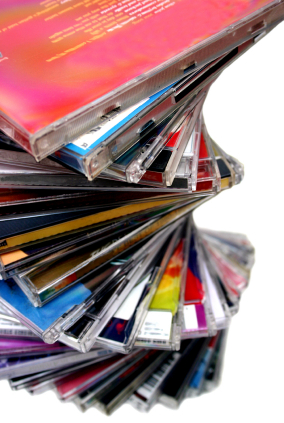

 manufacturing process to then be stamped with the replicating machines. This seems trivial, but it can have a slight difference to which disc players can read them: It is estimated that in the current market that only 98% of CD players will play duplicated CDs while 90% of DVD players will play